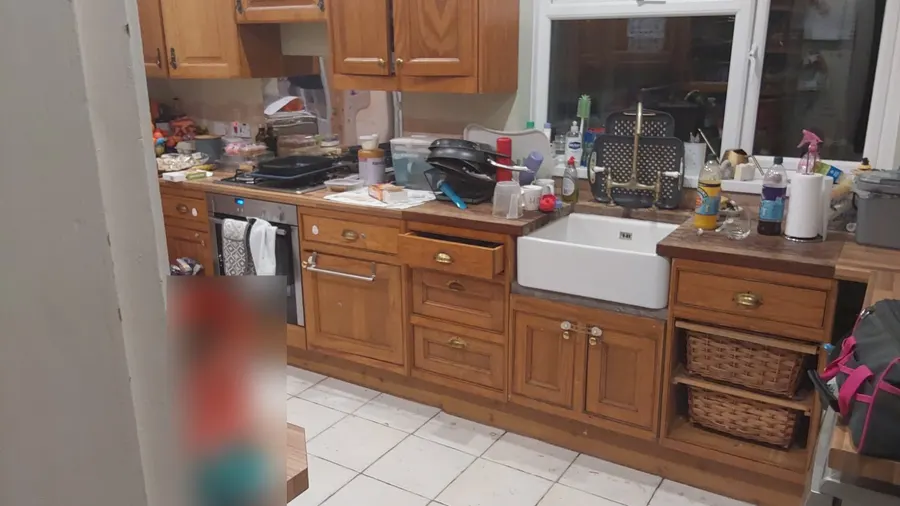
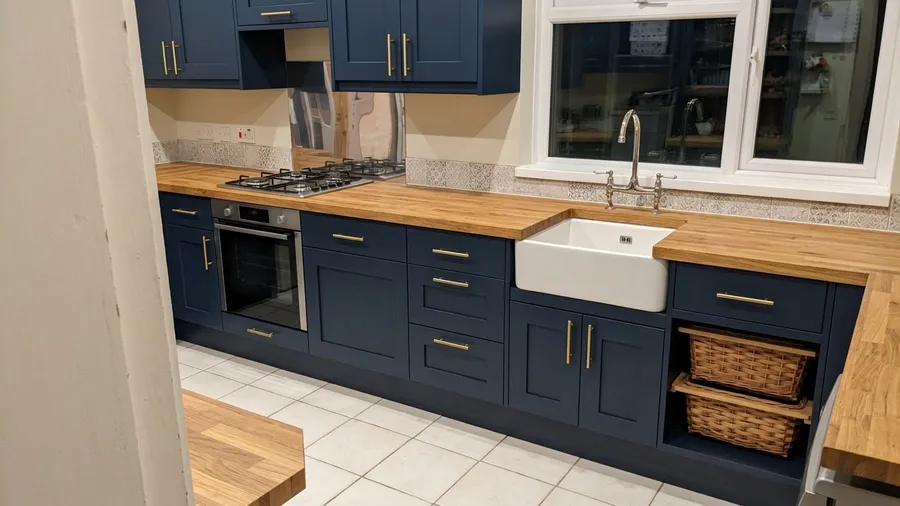
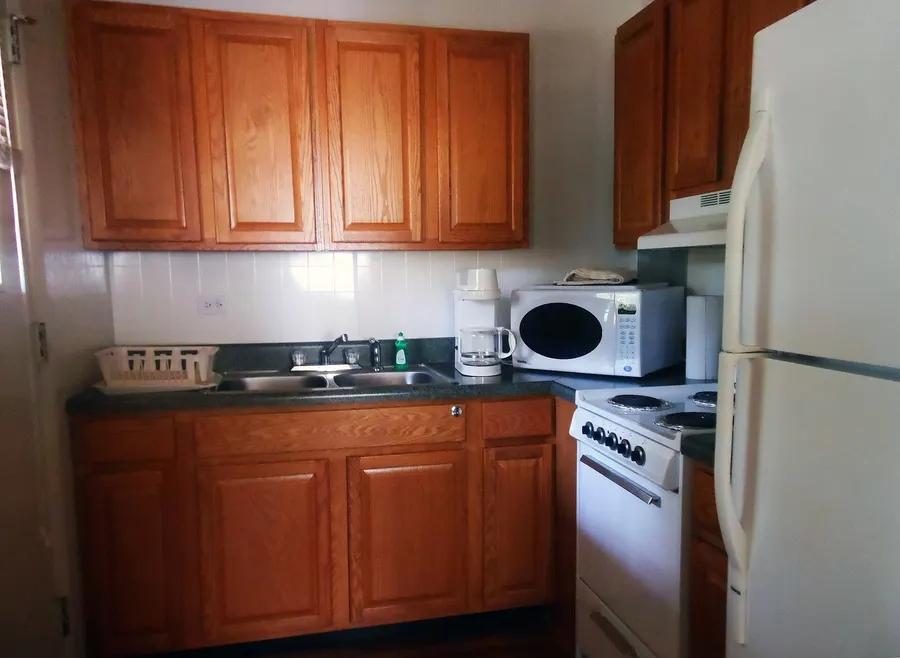
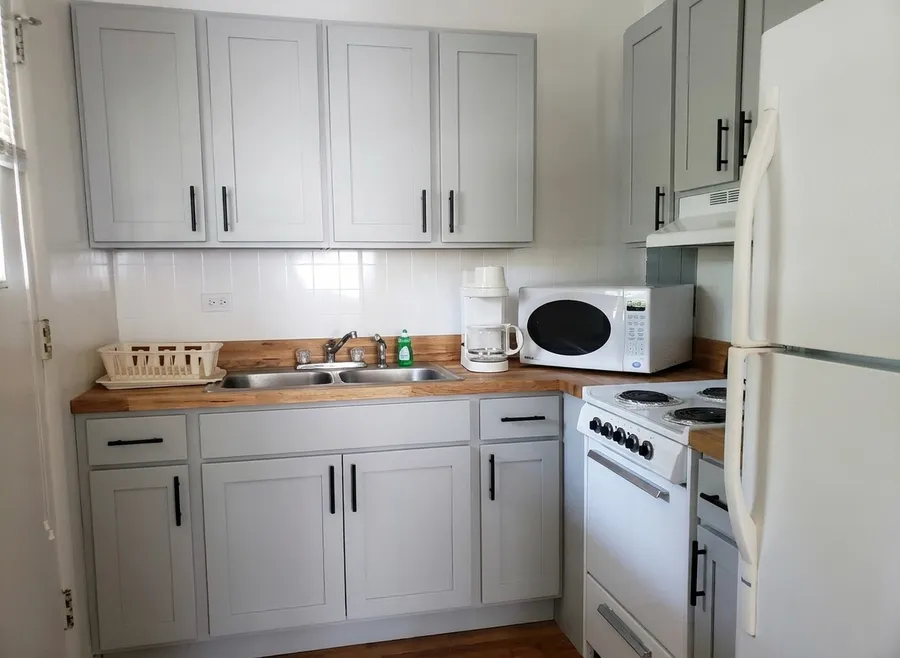
Kitchen
Red oak to light grey
Painted shaker, Light grey, Matt black bar, Solid oak block
Design it, price it, fit it
Take a photo on the first visit, tap your own products, and show the customer their new room with the price before you leave. Then run the whole job, from deposit to sign off, in the same place.
Free for a day, with no card needed.
Your own products With your photos, sizes and prices
Phone, tablet or computer Nothing to install from an app store
Kitchens, bathrooms and bedrooms Each with its own products
No minimum term Change or end your package when you like
Real screens, from the first photo of the kitchen to the job signed off. Every line is written on screen too, so it works with the sound off.
Features depend on your package. Concept images, not to measure. Example customers and prices.
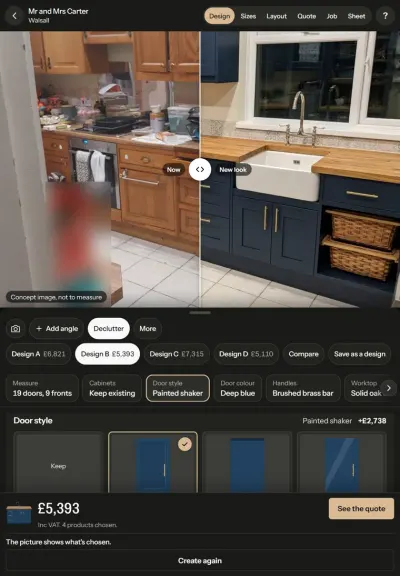
This is a real kitchen, shown with the owner's OK. One photo and three new looks, each with its own price, with Declutter clearing the worktops. Tap a design, then drag across the picture.
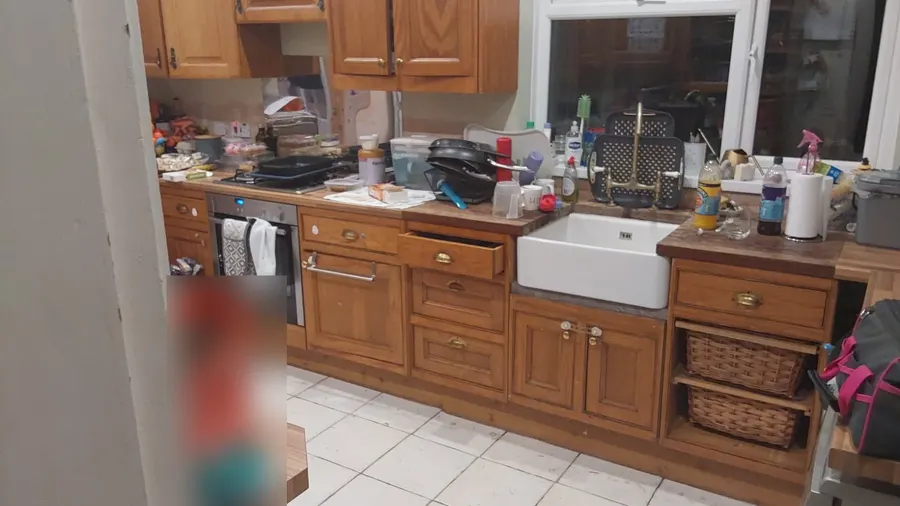
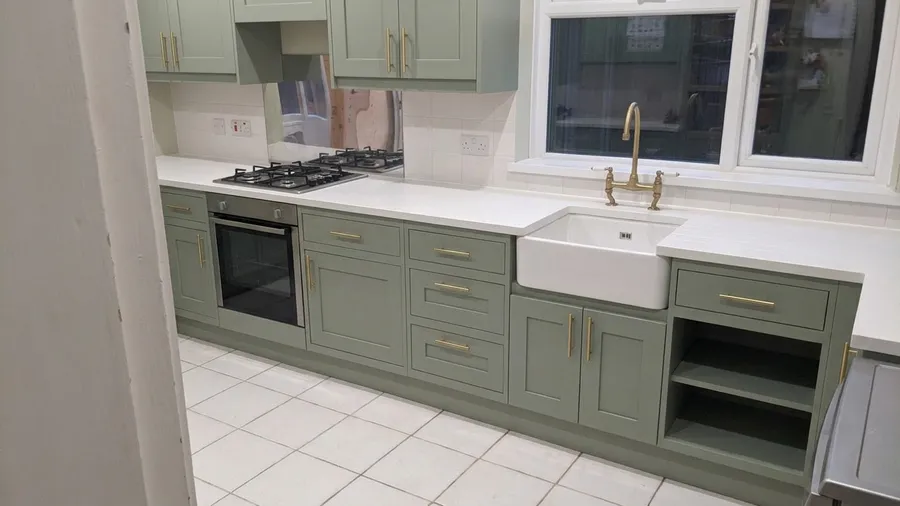
Concept images, not to measure. Example prices from our sample price list. A person checks every new look before showing it, and the app reminds them.
On Advanced and Founder
It's hard to picture a new kitchen behind the kettle, the dish rack and the post. Switch on Declutter and the next new look clears everyday things away, on its own or with your products.
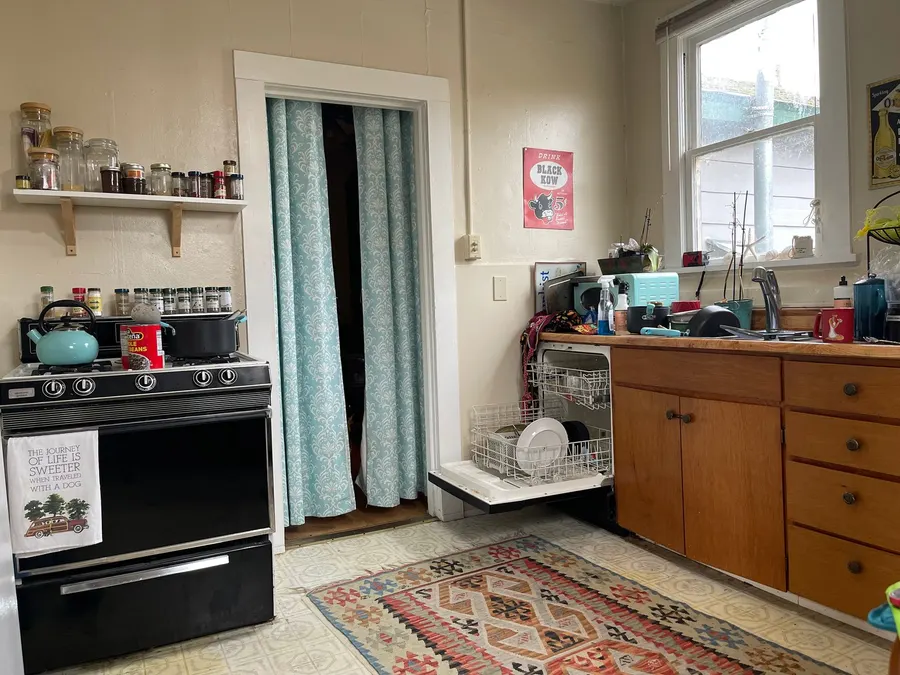
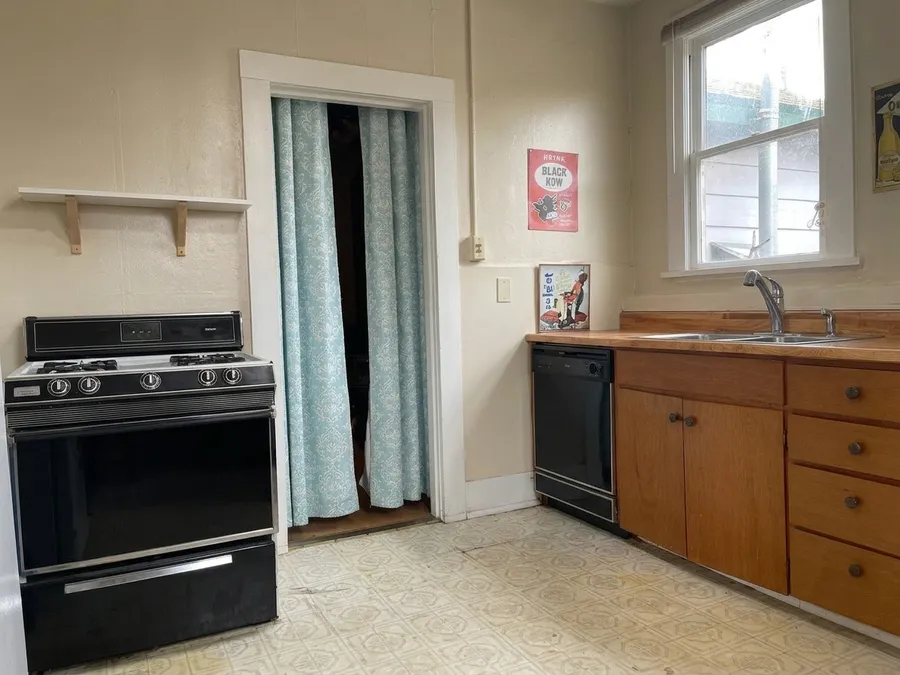
Public photos used as examples. Concept images, not to measure. Each new look is a fresh picture, so small things can shift, and the app reminds the designer to check it.
From the first enquiry to the job signed off, in five stages. Each step says which package it comes with, and a short guide on every page shows you round the first time you open it.
Every packageAdvanced and FounderFounder
Doors, handles, worktops, sinks, taps and hinges, each with a photo, size and price. A screenshot from a supplier's website is fine, and the app has photo tips.
Every packageLoad your list from a spreadsheet, and put a section's prices up or down in one go.
Advanced and FounderSet a margin for each section, and your sell prices follow your costs.
FounderAn enquiry form for your website. Customers send their photos and details, and they arrive at the front of your book.
Advanced and FounderOn your phone or tablet. Start takes up to 2 photos a room, and Advanced and Founder up to 6, from each corner.
Every packageA starting count of doors and drawer fronts, for you to check against the room.
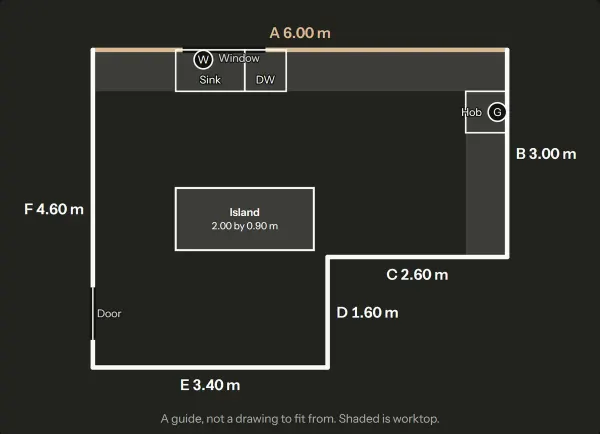
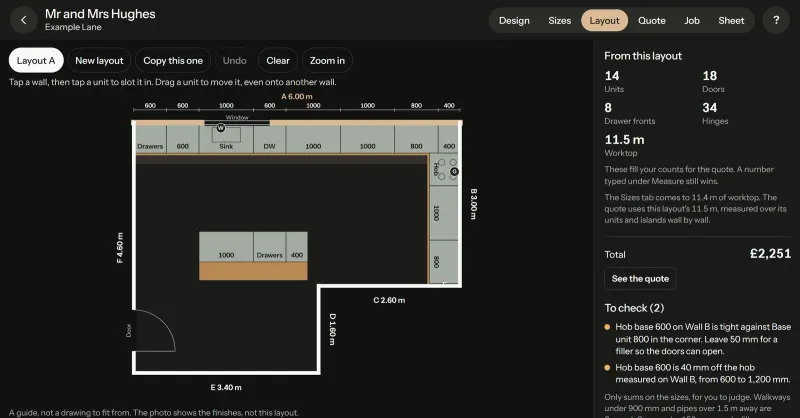
Advanced and FounderWall by wall with your laser or tape, in any shape, islands included. The app draws the plan and works out the floor, walls and worktop.
FounderSlot your own units onto the walls. It counts the doors, drawer fronts, hinges and worktop, and checks gaps, walkways and windows. Keeping their layout, or a new one, is your choice.
FounderThe price moves with every tap, and a small drawing changes straight away.
Every packageMake it on their own photo, with Declutter if you like, then slide between now and new. Save Design A, B and C and flick between them, with the difference in price.
Every package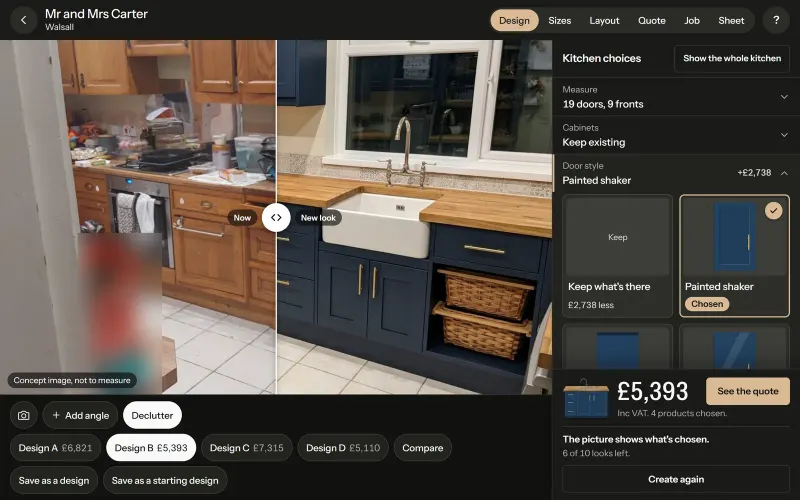
Their room now and after your work, the total, your payment stages and a date it's valid until, as a PDF. Costs and profit never appear on it.
Advanced and FounderAdd a percentage for fixings, offcuts and waste, as its own line or built into your prices. Hinges are counted for you.
Advanced and FounderA private link with the before and after, the quote and a button to accept it. You see when it's been opened.
Advanced and FounderThey choose between designs you've saved, and pay the deposit through your own card payment link, straight to you.
FounderFrom your own email, until they reply. Accepting the quote stops them.
Advanced and Founder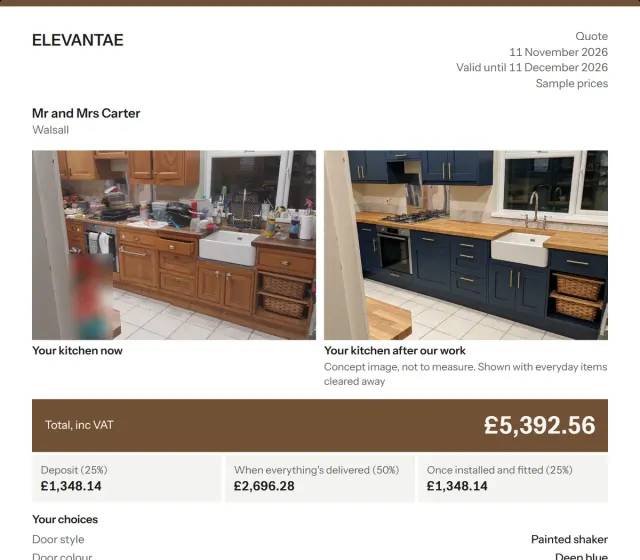
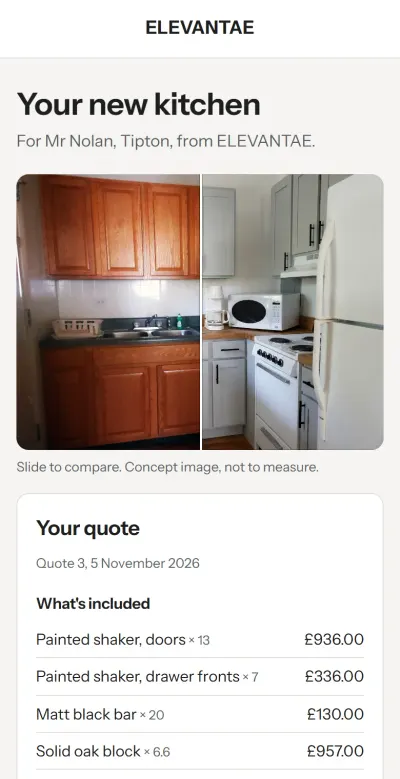
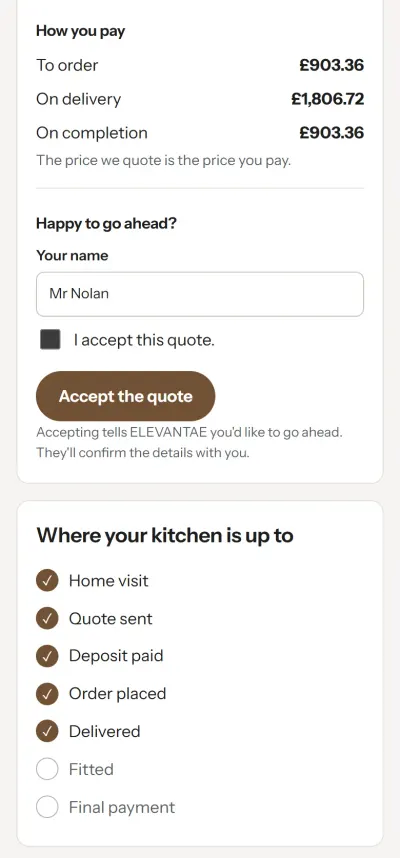
Every step from deposit to final payment, with the money beside it.
Advanced and FounderOne for each payment stage, made from the quote, as a PDF. Tick one paid and the job moves on.
Advanced and FounderJob updates, payment reminders and visit reminders go by themselves, if you switch them on.
Advanced and FounderGrouped by supplier, with order by dates worked back from the fitting date. Tick each line as it arrives.
FounderWho's fitting where and when, with the other trades booked in too.
FounderA sheet for your fitters with the plan and no prices, and changes during the job, priced and agreed on the customer's page.
Founder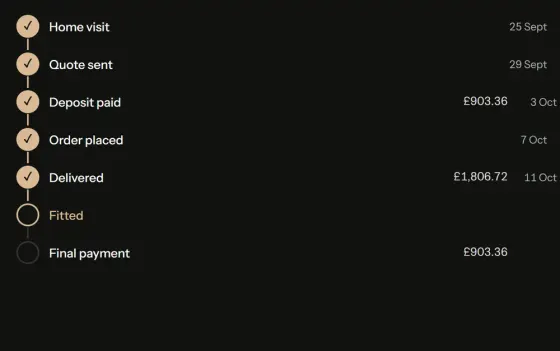
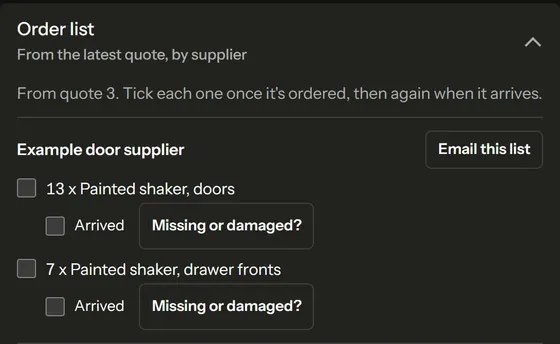
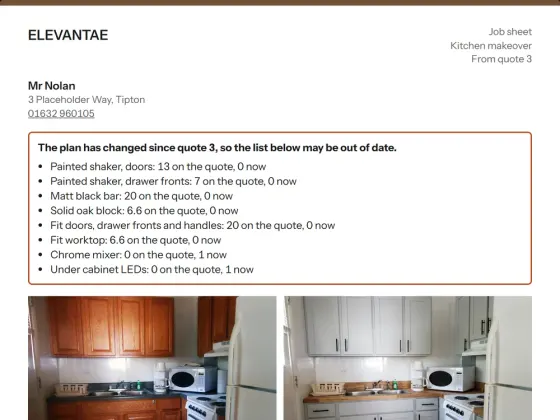
The customer signs the job off on the fitter's phone, or lists anything that isn't right, which becomes a problem to fix.
FounderGuarantees, care guides and manuals on their page, and a way to report a problem with a photo.
FounderOnce, 2 days after the last step, with a way to say no.
FounderFinished jobs, with each customer's OK before their room goes in it.
Advanced and FounderQuotes waiting, money due and what to order this week, in your inbox.
FounderApp screens show example customers and prices. Tried on this PC with our sample firm. Emails and payment links have only been tried with test accounts so far.
On every package
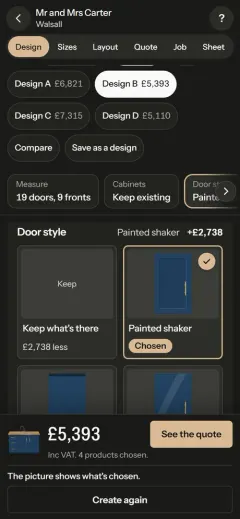
Each choice shows what it does to the total, so nobody has to go away and work it out. Try it here.
Try it free for a dayUse your own products and prices
Set up your products at the office, take the photo on your phone and show the customer on a tablet. It's the same app and the same jobs on all three, with nothing to install, and a short guide on every page the first time you open it.
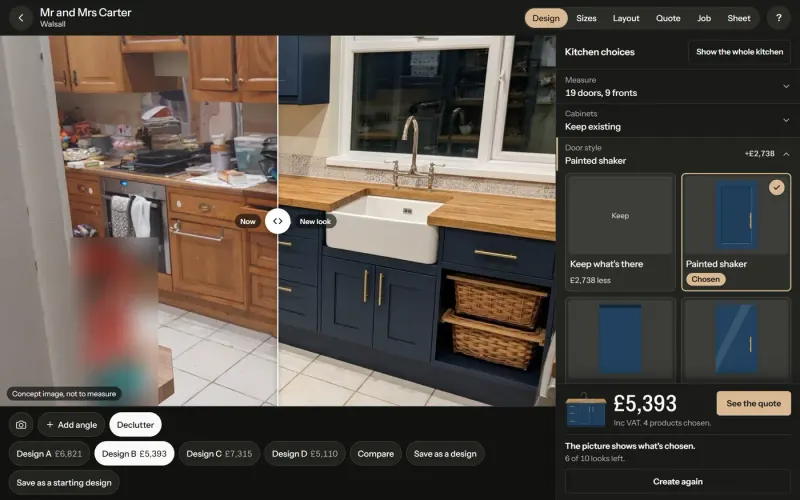
Example customers and prices.
Kitchens, bathrooms and bedrooms. The room stays as it is and what you choose changes. Drag across any picture.
Kitchen
Painted shaker, Light grey, Matt black bar, Solid oak block
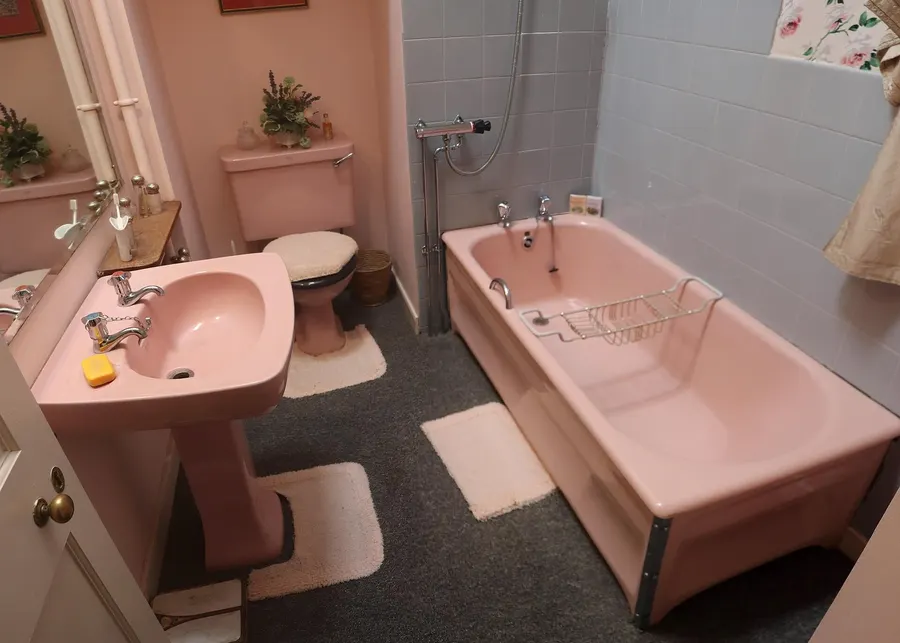
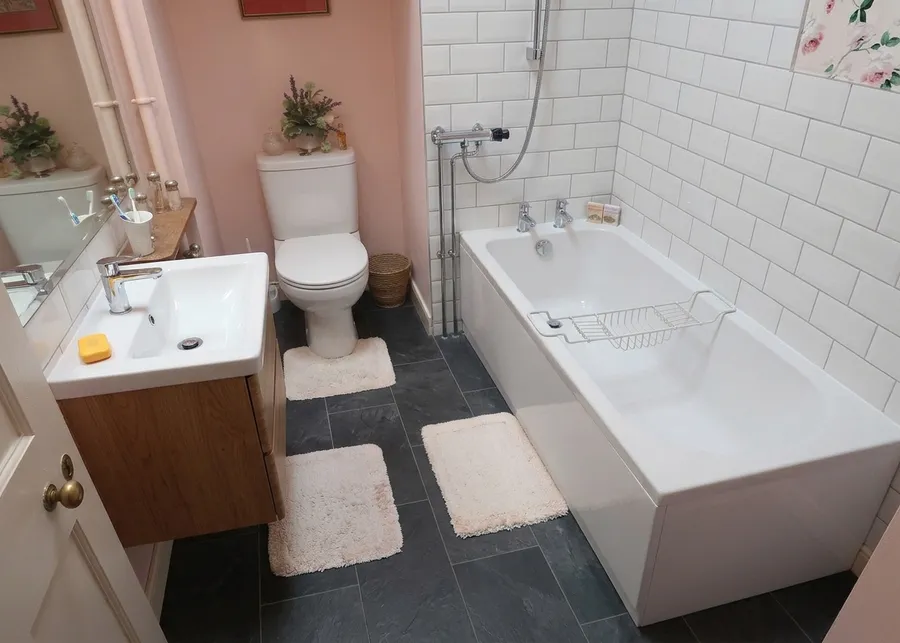
Bathroom
White bath, Oak vanity, White toilet, Chrome taps, White metro, Slate
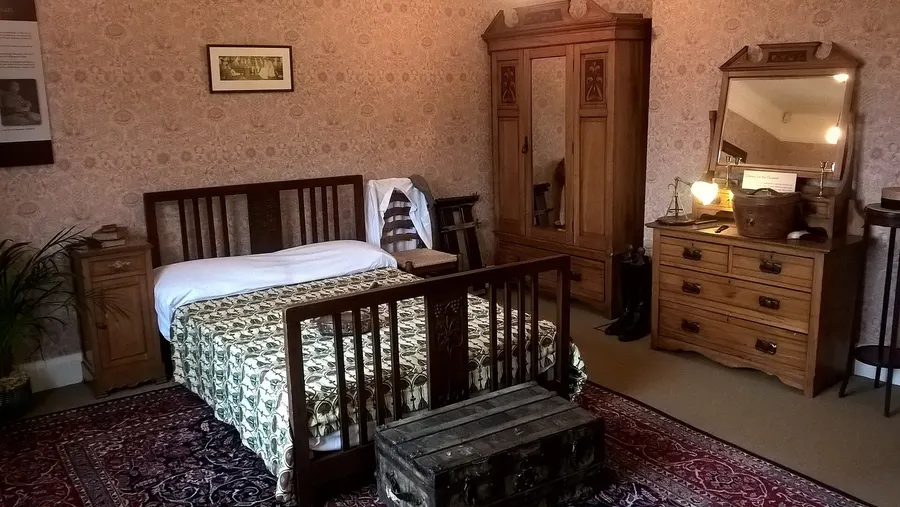
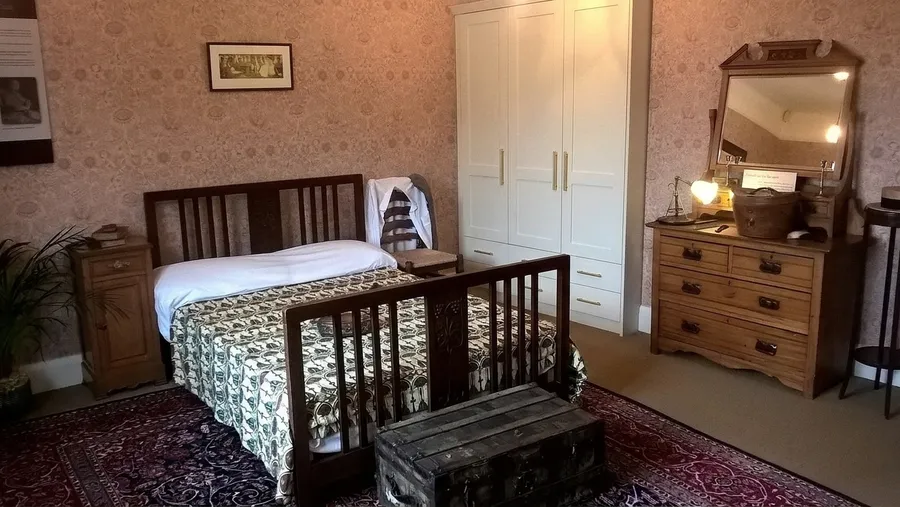
Bedroom
Hinged wardrobes, Shaker, Soft white, Brass bar
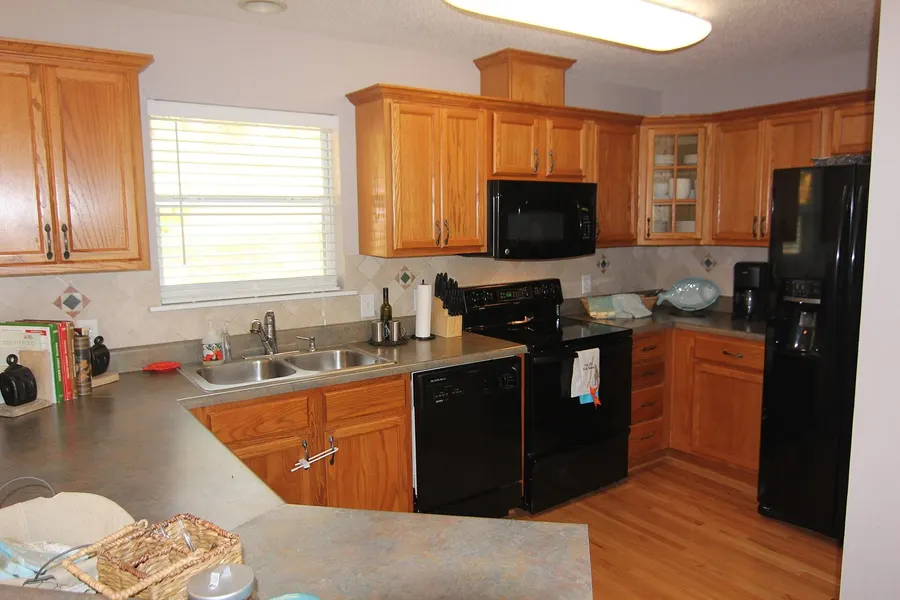
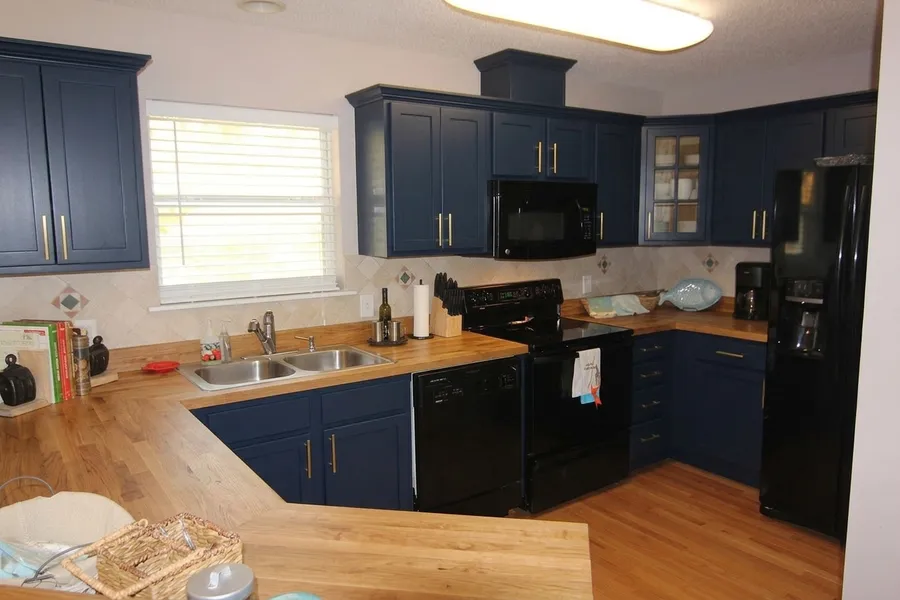
Kitchen
Painted shaker, Deep blue, Brushed brass bar, Solid oak block
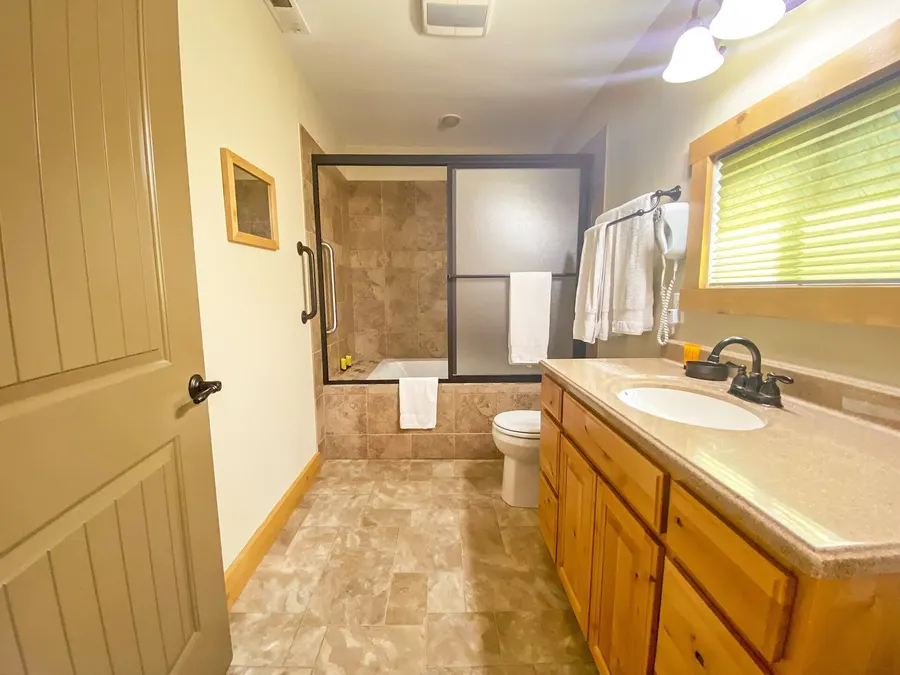
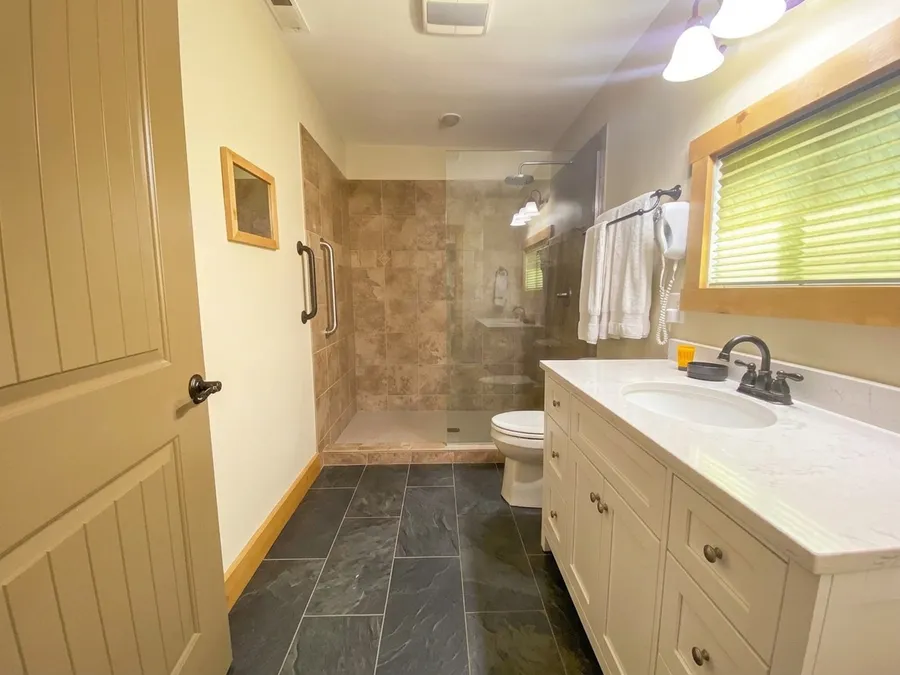
Bathroom
Glass shower, White vanity, Slate
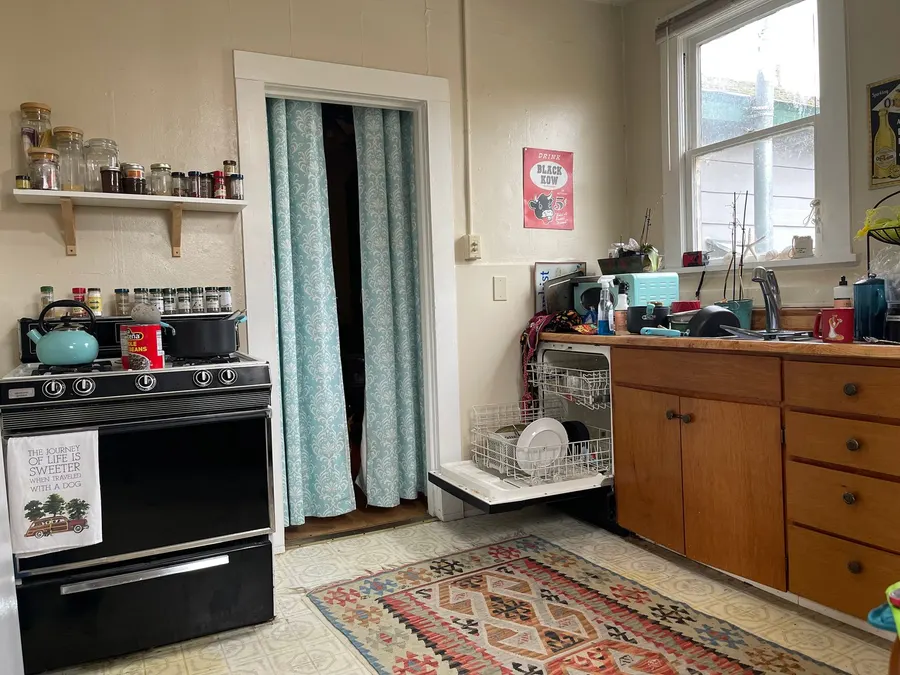
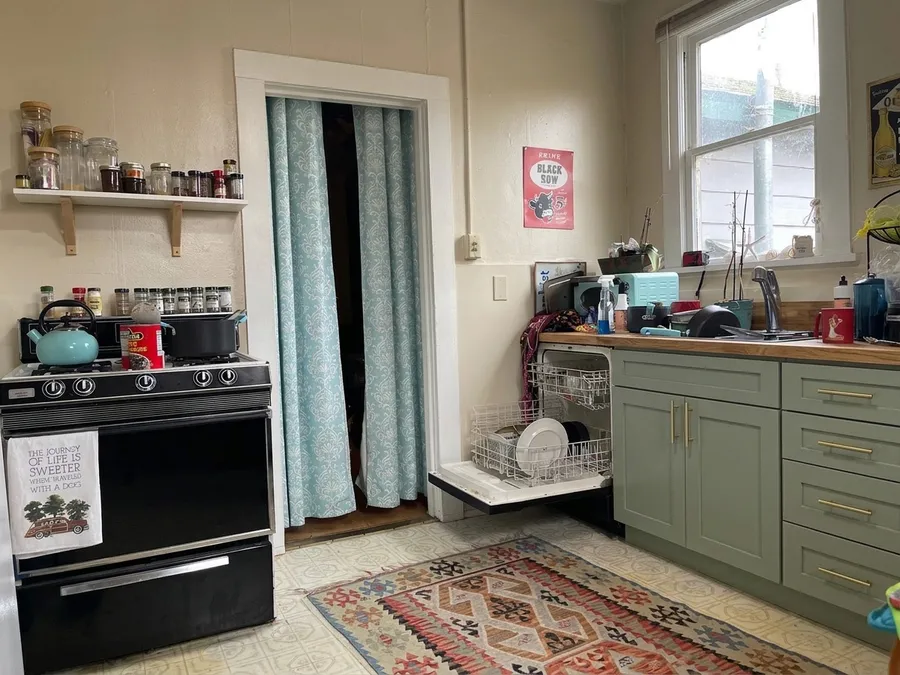
Kitchen
Painted shaker, Sage, Brushed brass bar, Solid oak block
Made without Declutter, so their things stay where they were.
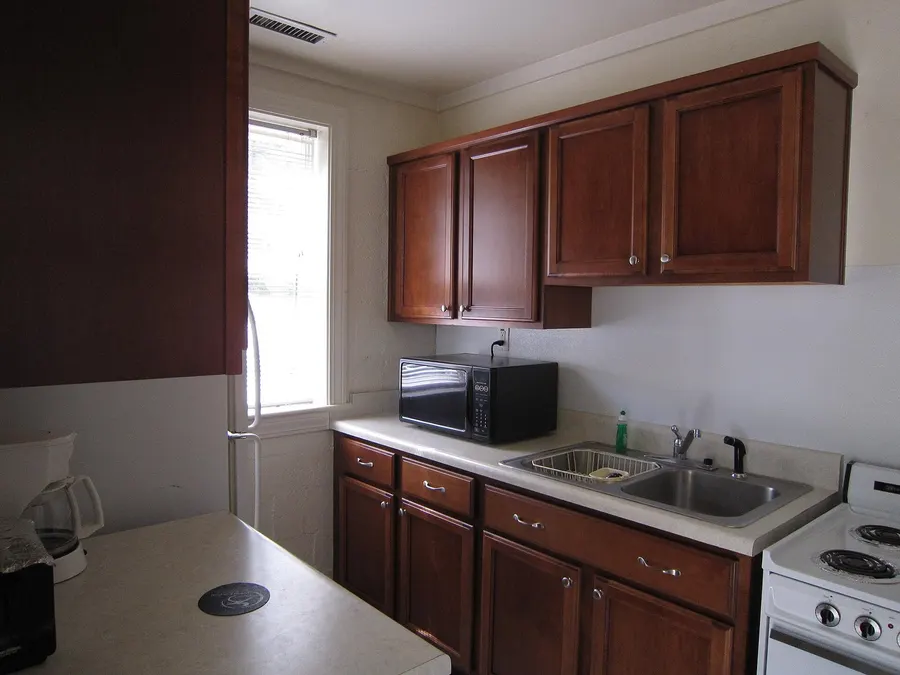
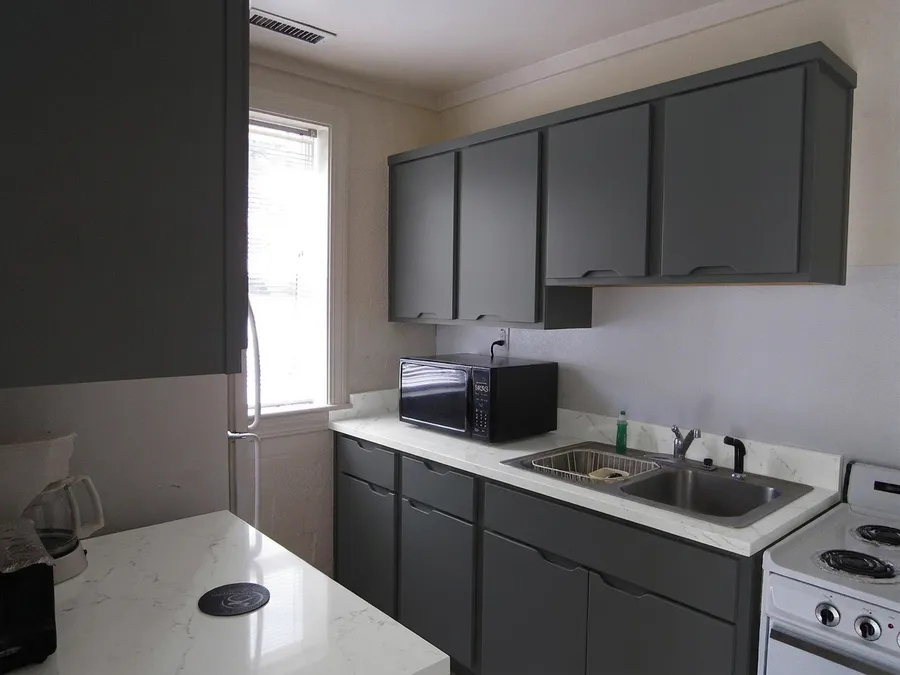
Kitchen
Handleless J pull, Graphite, Veined white quartz
Try it on a real visit, free for a day.
Try it free for a dayThese are public photos used as examples, not customers' homes. Concept images, not to measure.
Door style and colour, handles, worktop, sink and tap. Cabinets, appliances, hinges and extras go on the quote without changing the picture.
Bath, shower, basin and vanity unit, toilet, taps, wall tiles and floor.
Wardrobe door style and colour, handles, and fitted wardrobes in place of the old ones. Building wardrobes where there are none yet doesn't work reliably.
Firms in the KBB trade that design, sell and fit kitchens, bedrooms and bathrooms, from a sole trader to a showroom team. You visit the customer, you have your own range and prices, and you want to give the quote on that first visit. Start also works for hobbyists and your own projects, with any email address.
Anyone who needs drawings to scale or 3D, including architects. The pictures are concept images, and the plan on Founder is a guide for pricing, so keep your CAD software for drawings to fit from and for building work.
Try it free for a day, then choose. You pay per firm, not per login, and the price you see is the whole price. This is the first version, and more options are on the way.
For hobbyists and your own projects
£29.95 a month
Or £299.50 a year, with 60 rooms
For a busy firm with a few people
£64.95 a month
Or £649.50 a year, with 240 rooms
For a firm that wants it all
£129.99 a month
Or £1,299.90 a year, with 600 rooms
Free for a day. 5 rooms and no card needed. Sign up with your firm's own email and everything is switched on. With a personal address, such as Gmail, you try Start, because Advanced and Founder connect to your firm's email. Which email to use
Pay £39.99 once for 5 rooms and up to 2 logins, with what Start has and nothing to pay after that.
One customer's kitchen, bathroom or bedroom. It counts once, when its first new look is made, then gets up to 10 new looks.
10 extra rooms are £25 on any plan, and they don't run out. Nothing is ever charged by itself.
There's no minimum term. End it when you like, and it stops at the end of the month or year you've paid for.
Something else? Email enquiries@elevantae.com or ring 01902 288206, Monday to Friday, 9am to 6pm.
Patrick and Tommy at ELEVANTAE, a two person studio in Wolverhampton. This is the first version, so you'd be among the first firms using it, and you can tell the people who build it what's missing.
No. Every new look is a concept image, not to measure. Your products' sizes help the picture but can't make it exact, and the picture doesn't follow a measured plan. A person should check each picture before showing it, and the app reminds you.
It's a visualiser and quoting app. It shows the customer a concept of their own room, with your products and your prices, on the first visit. On Founder you can also measure the room and place your own units on a simple plan, as a guide for pricing and ordering. For drawings to fit from, or 3D, keep your CAD software.
Yes, that's how it works. You add your own doors, handles, worktops and the rest, with photos, sizes and prices, so the customer sees your range at your prices.
Add a few products and you're ready for a visit. Add them on a phone as you go, or on Advanced and Founder, load your price list from a spreadsheet. If you'd rather we set them up for you, ask us.
When it's on, the next new look clears everyday things like pans, bottles, dish racks and tea towels off the worktops and the floor, on its own or with your products. The room and the units stay where they are, and the quote says the picture was shown with everyday items cleared away. It's on Advanced and Founder.
On Founder, yes. You measure with your own laser or tape, and the app walks you round the room wall by wall, whatever its shape, including L shapes, bays, curves and islands. It adds up the floor, wall area and worktop for the quote, draws a simple plan, and lets you slot your own units onto the walls to count the doors, drawer fronts, hinges and worktop. It's a guide for pricing, so check every size before you order. On Advanced you can still type a worktop length straight into the quote.
Choose New layout at the start of the Measure tab. The new look is still shown on their room as it is now, and the picture, the quote and their page all say the new layout will be different. Then type the new counts on Advanced, or plan the new units on the Layout tab on Founder.
On a monthly or yearly plan it won't stop. You can use up to 5 from your next rooms, and rooms you don't use carry over for as long as you stay with us. A free trial or a one off payment stops at its 5 rooms until you choose a package.
Yes, on Advanced and Founder, where you choose who's an owner, a designer or a fitter. A fitter's login shows the jobs with no prices at all. On Founder they also get a job sheet with the plan, wall by wall, and the fitting diary.
You need a connection to save your work and make new looks. If the connection drops, the app tells you, and if it carries on it shows our number.
No, and we'd never ask. You connect your work email by approving the app from your own Microsoft or Google account. Until you do, save the quote as a PDF and send it yourself.
A Microsoft or Google account. Any address works for Start, Gmail and Hotmail included. Advanced and Founder connect to your firm's own email and diary, so they need an address at your firm's own domain, on Microsoft 365 or Google. Sign up with one of those and your free trial has everything switched on. If your firm's email is with someone else, ring us on 01902 288206 and we'll tell you what can be done.
The app locks until you choose a package, and nothing is charged. If you don't choose one, your firm's details are deleted 30 days later.
Yes, at any time, under Your company in the app. There's no minimum term. Your plan carries on until the end of the month or year you've paid for and then stops, with nothing more charged and no money back for the time left. Your details stay for 30 days afterwards so you can download them.
Yes, under Your company in the app. Moving up starts straight away: what's left of what you've paid comes off the new price by the day, and a new month or year starts with its full rooms. You see the amount before anything is charged. Moving down starts at your next bill, with nothing to pay until then. Anything the lower package doesn't have stops that day, but nothing's deleted, and it all comes back if you move up again. With a personal email address you can choose Start or pay once.
They're kept apart from every other firm's, and only people you give a login can see them in the app. A phone's location is taken out of each photo before it's uploaded. Removing a room deletes its photos, pictures and quotes, and our nightly backups clear within 30 days. The privacy notice names the suppliers we use to store photos and make new looks.
Yours. Your products, prices and customers belong to you, and you can download a full copy whenever you like.
Free for a day, with no card needed.
Try it free for a dayRather talk first? Ring 01902 288206, Monday to Friday, 9am to 6pm.